Approving Pending Appointments in Accommodate
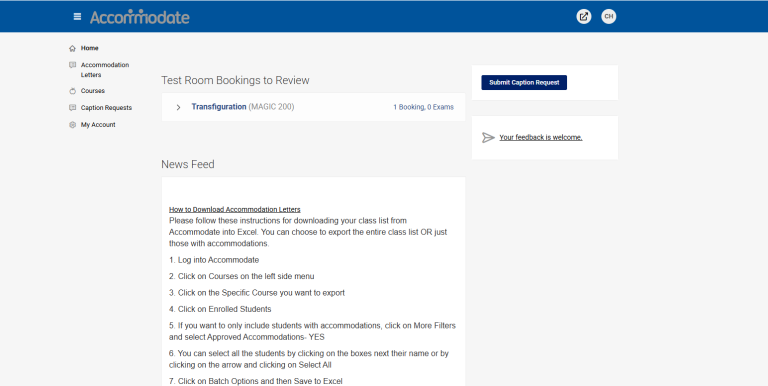
Upon logging in, your homepage will display any pending appointments that need your attention.
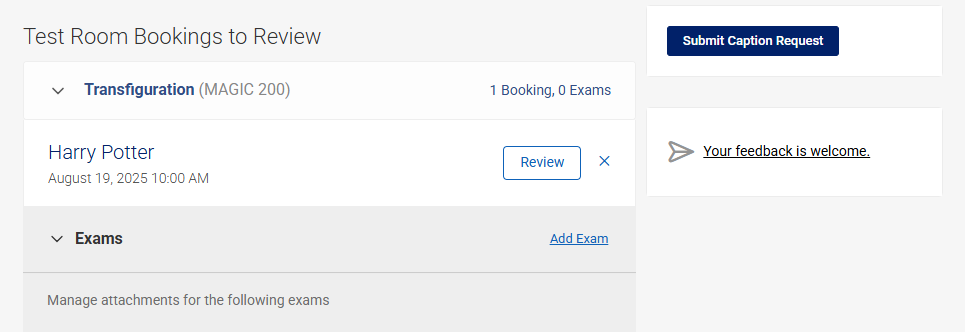
Access Testing Room Bookings
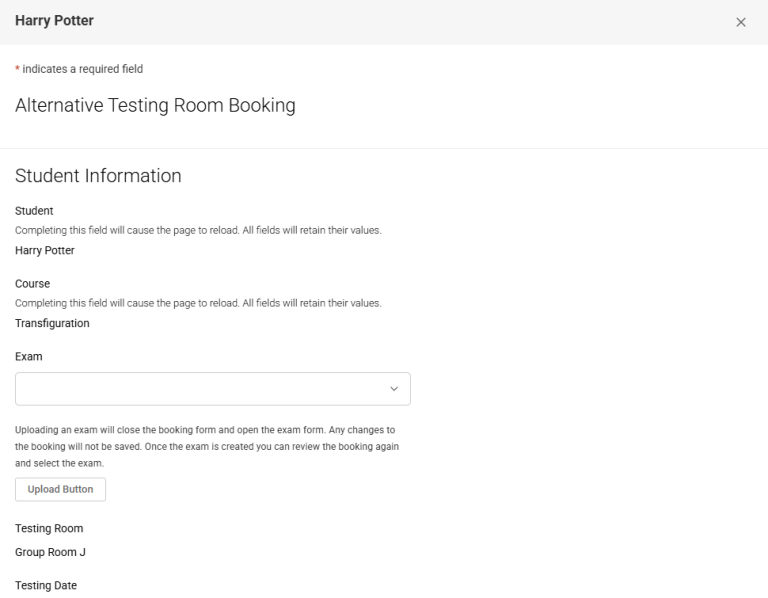
Navigate to ‘Testing Room Bookings’, locate the relevant appointment, and click ‘Review’. This will display the student’s appointment details.
Review Appointment Information
Carefully verify all appointment details.
If the exam has already been uploaded, you may attach it now.
If not, you’ll have the option to upload it later.
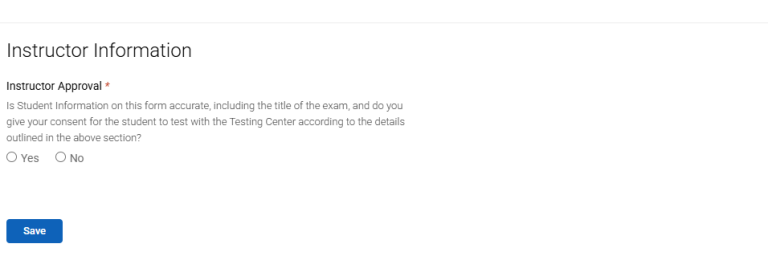
Approve or Deny the Appointment
Scroll to the bottom of the page and choose Approve or Deny.
If denying, you may include a note to the student explaining the reason.
Finalize Your Decision
Click Save to confirm your selection.
Then click Return to Home to navigate back to your dashboard.